Accesses and Forms Dashboard
Cross-referenceable access, profile, and Banner forms data.
Accesses and Forms
Profiles that require SSN training
The following is a list of profiles that require SSN training.
Profiles that require SSN training
Search Account Owner(s) Access
Search current access granted to one or more employees.
- Navigate to Security Application home page (https://secapp.apps.uillinois.edu/secapp)
- Click “Search Account Owner(s) Access”
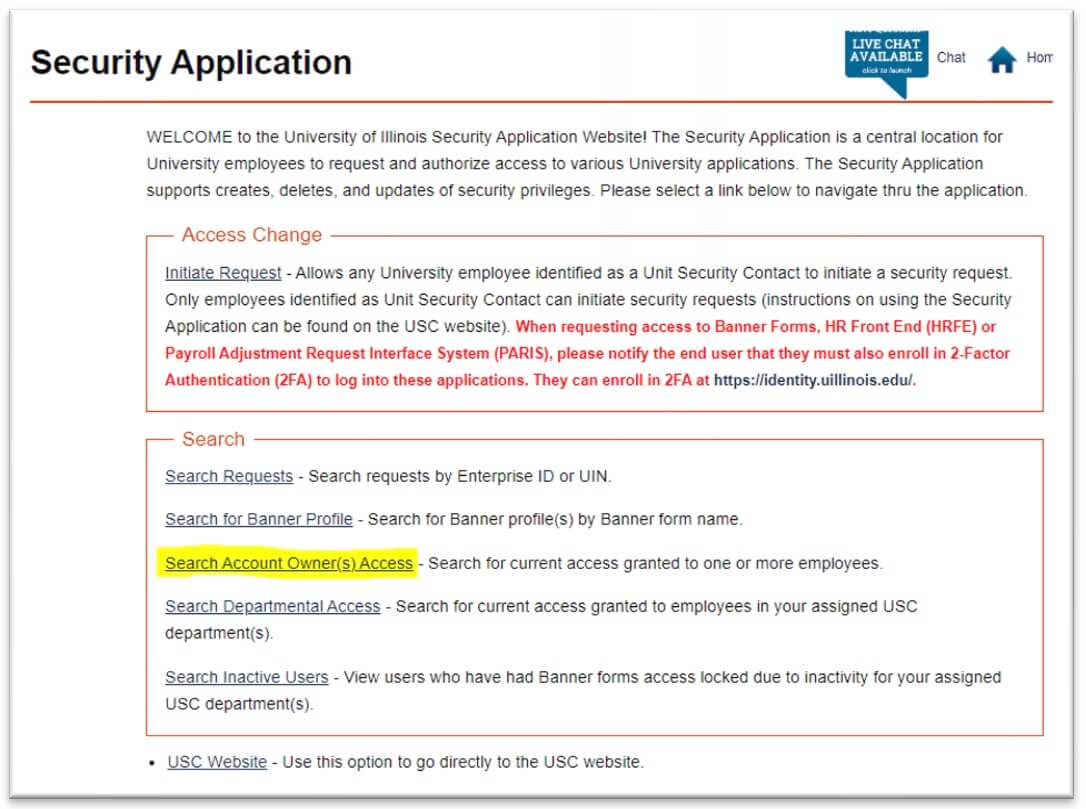
- Type in UIN of desired employee
- Click “Add UIN”
- Repeat to add multiple UINs as needed
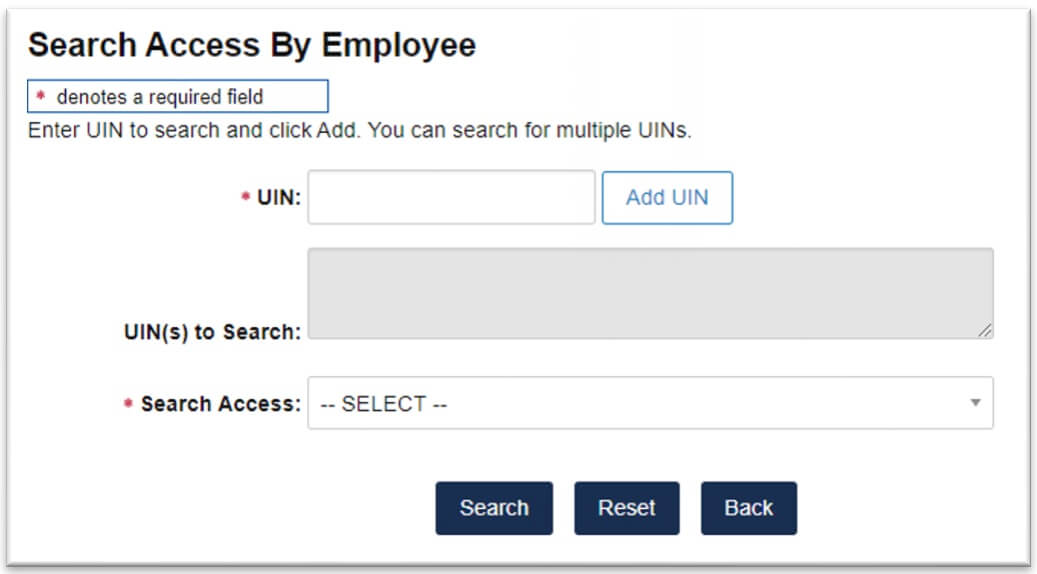
- Choose which access category to search on from the “Search Access” dropdown
- Click “Search”
- Results can be exported to Excel as .xls or .csv
- To get a more comprehensive picture of what accesses have been granted to the denoted employee(s), one could merge the exported results from all categories into one Excel sheet
Search Access Categories (.xlsx)
Future Date Access Requests
Recently some of you have been confused by the Future Date Access Request option and When will the account owner be transferring from your department/unit options.
Future Date Access Request Explanation
The Future Date Access Request option (see screen shot below) can be used when an account owner coming or leaving your department and you want the request for access (either add, removes or terminate) to be processed on a specific date. For example Fred Jones will be starting on September 1, 2017. You can use the Future Date Access Request option add a request for TEM that will be begin on Fred’s start date of 09/01/17. That future request will be pending until 09/01/17. Then on 09/01/17 the permission will be added.

The When will the account owner be transferring from your department/unit option (see screen shot below) is for informational purposes only. Entering a transfer date is NOT used by the application to process the access request on a specific date.

If you have any questions please contact us at AITS System Access Management (aazsecu@uillinois.edu) or via the Live Chat option within the Security Application.