Changes to the Employee Class Access Increment in the Security Application
What is happening?
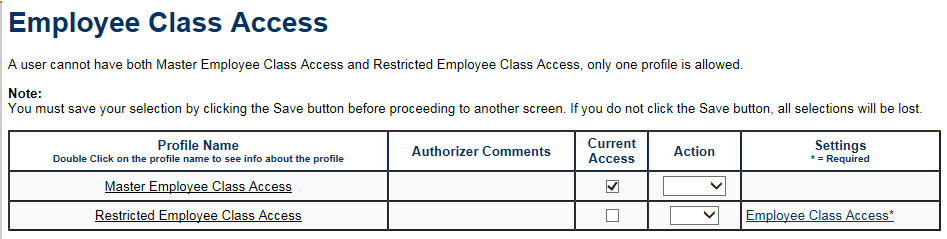
Currently in the Security Application under the Employee Class Access Increment there are two profiles: Master Employee Class Access and Restricted Employee Class Access.
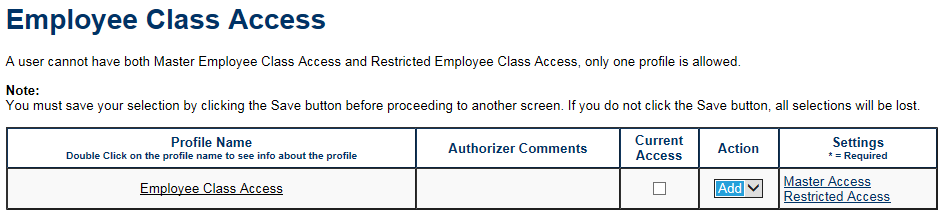
On Thursday, March 2, 2017 an update will be made in the Security Application and there will only be one profile: Employee Class Access. If the user has no Employee Class Access the only option under Action is to Add and then you must click on the Master Access Restricted Access link under Settings.
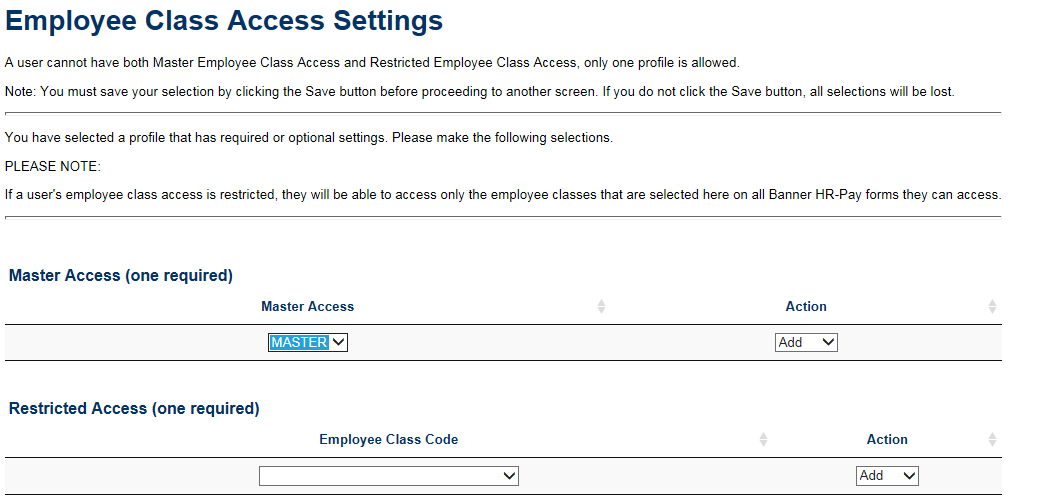
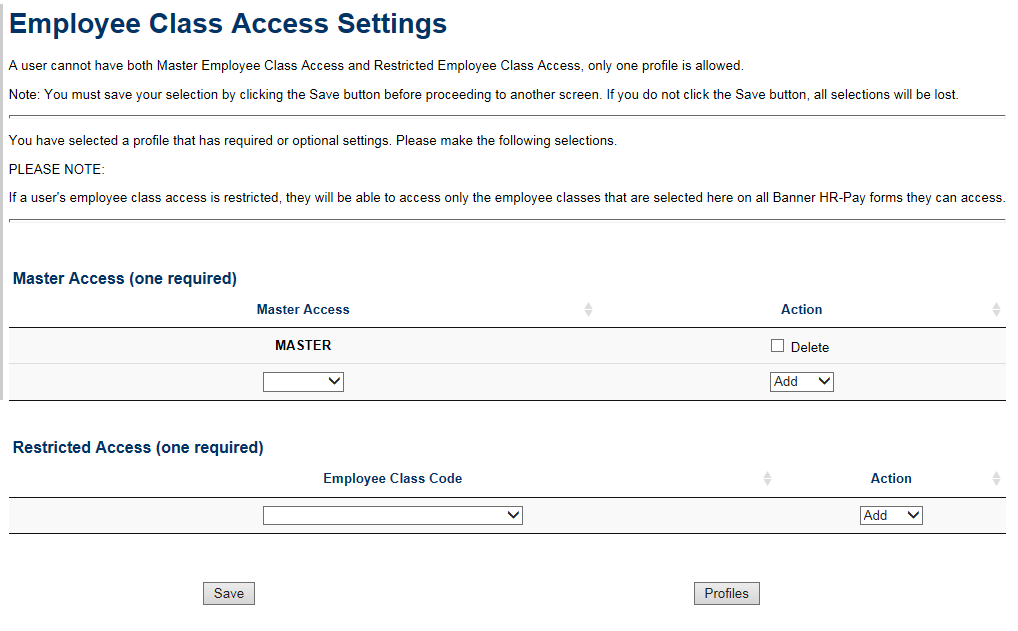
Here you will choose either the Master Access setting or the Restricted Access setting(s) and complete your request. In the screenshot below Master Access was chosen.
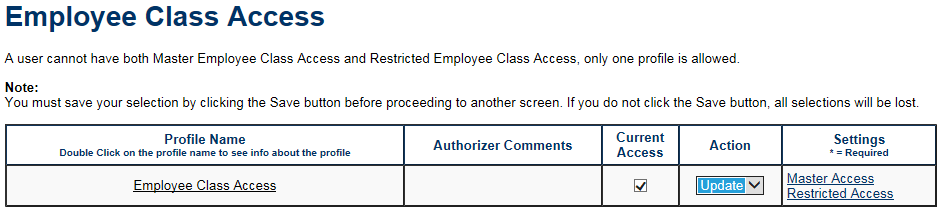
If the user already has Employee Class Access you will choose either Delete or Update under Action. If you want to update the users Employee Class Access from Master Access to Restricted Access or vice versa you will choose the Update Action.
Once you click on the link under Settings you can see that the user already has Master Access and now you are able to change the access to Restricted Access. You will need to check the Delete box under Action and then choose all Employee Class Codes that apply.
If you want to remove all Employee Class and the Account Owner does not have UI HR-Pay access that must be deleted first then you can choose Delete under Action and proceed with the request. If the user does have UI HR-Pay access then it must be removed first in a separate request and then the Employee Class Access can be removed. Both need to be submitted separately.
If you have any questions regarding these changes or other Security Application functionality please contact AITS Security at security@uillinois.edu.